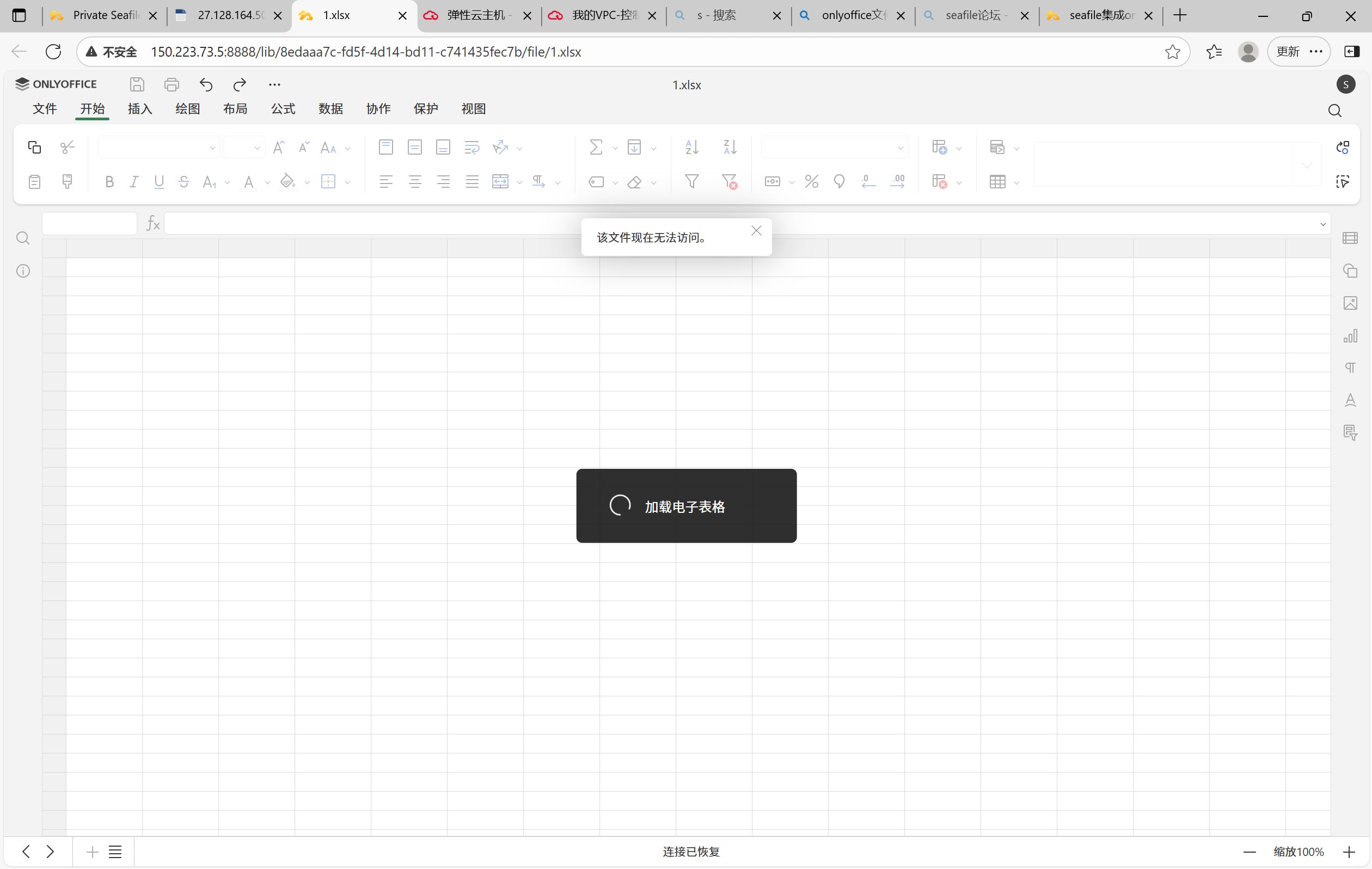
当前服务器版本 Centos 7
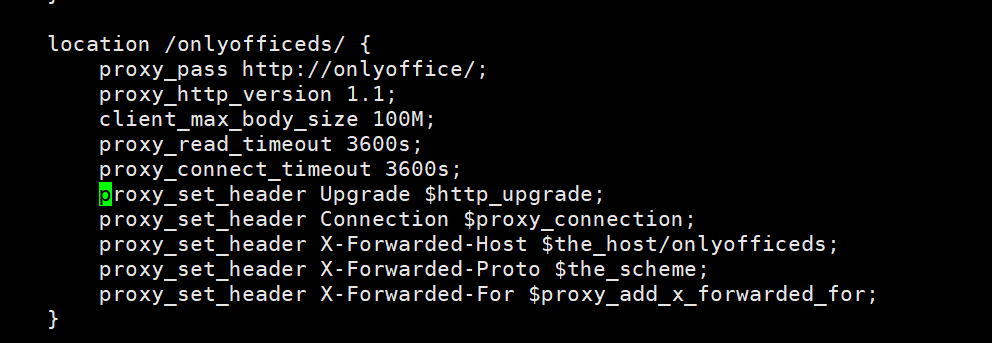
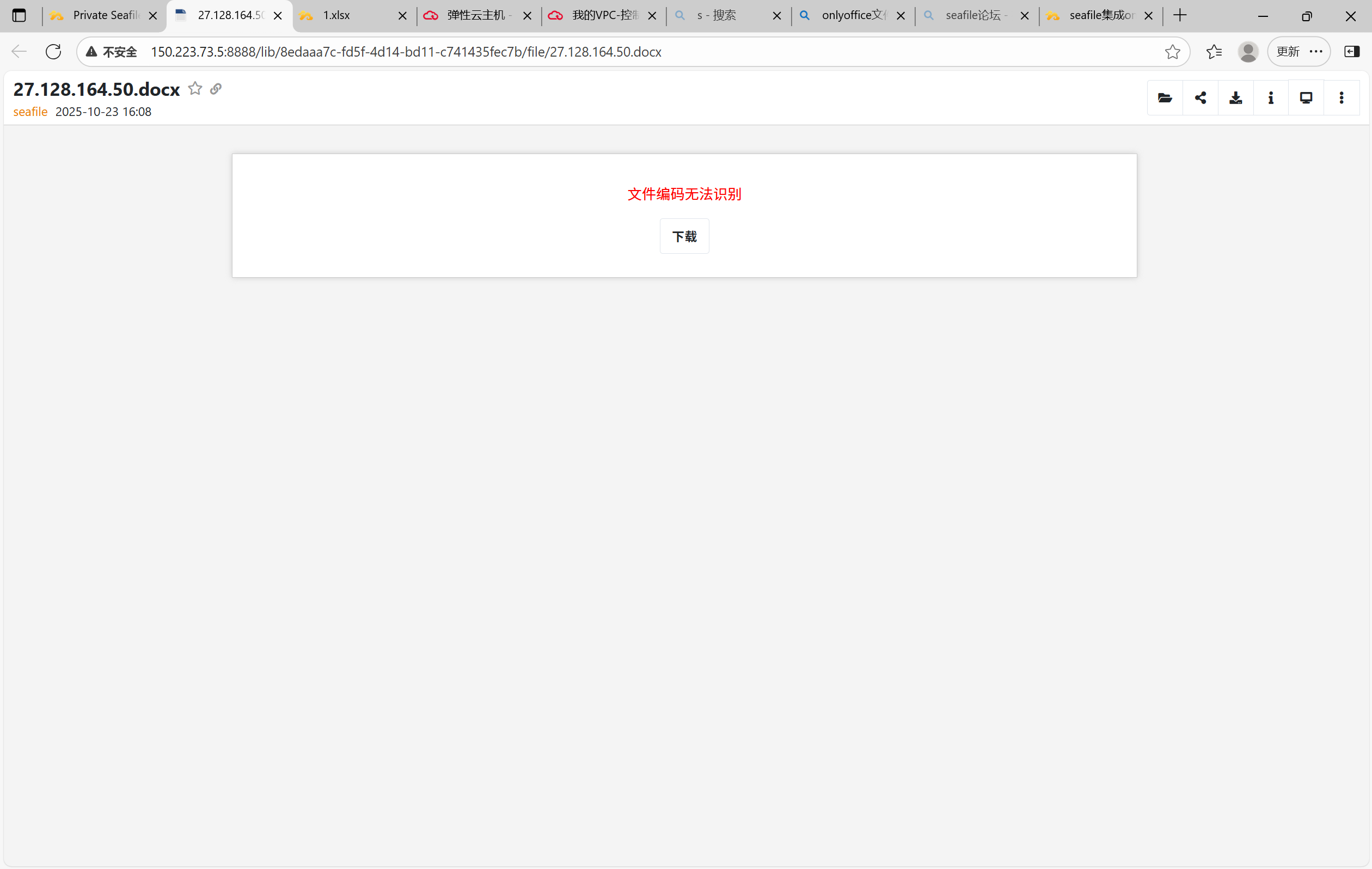
seafile已经成功安装,Web界面正常登录,现在需要把onlyoffice集成到seafile中,实现在线文档预览编辑功能,已经用docker-compose.yml成功拉取的onlyoffice,并且按照文档修改了seahub_settings.py文件,重启seafile后查看发现文档在线预览编辑功能并未实现。
求教,目前不知道问题出在哪里了。
docker-compose.yml配置:
version: ‘3’
services:
db:
image: mariadb:10.11
restart: always
environment:
- MYSQL_ROOT_PASSWORD=xxxxxxx #mysql数据库密码
- MYSQL_LOG_CONSOLE=true
- MARIADB_AUTO_UPGRADE=1
volumes: - /home/test/seafile/mysql:/var/lib/mysql
networks: - seafile-net
memcached:
image: memcached:1.6.18
restart: always
entrypoint: memcached -m 256
networks:
- seafile-net
seafile:
image: seafileltd/seafile-mc:11.0-latest
restart: always
ports:
- “8888:80”
- “8082:8082”
volumes: - /home/test/seafile/shared:/shared
environment: - DB_HOST=db
- DB_ROOT_PASSWORD= #mysql数据库密码
- TIME_ZONE=Asia/Shanghai
- SEAFILE_ADMIN_EMAIL=xxxxx@xxxxxx.com #seafile账号
- SEAFILE_ADMIN_PASSWORD=Seafile@2025! #密码
- SEAFILE_SERVER_LETSENCRYPT=false
- SEAFILE_SERVER_HOSTNAME=x.x.x.x #服务器公网ip
depends_on: - db
- memcached
networks: - seafile-net
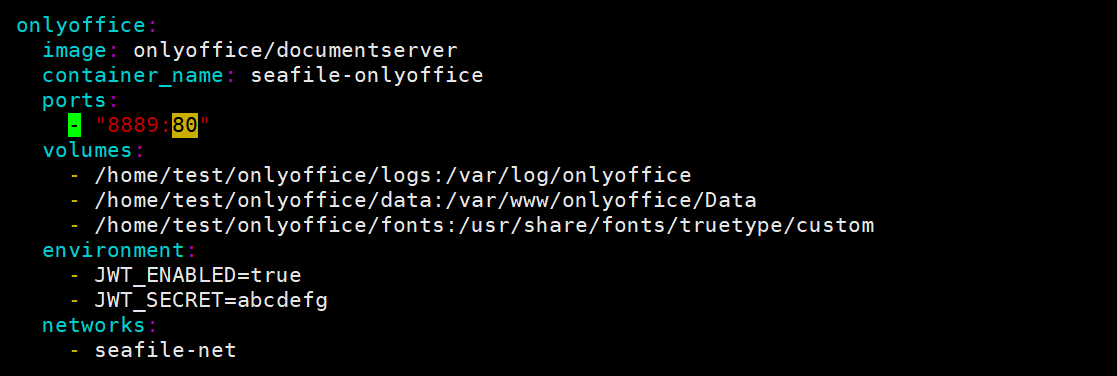
onlyoffice:
image: onlyoffice/documentserver
container_name: onlyoffice
restart: always
ports:
- “8889:80”
volumes: - /home/test/onlyoffice/logs:/var/log/onlyoffice
- /home/test/onlyoffice/data:/var/www/onlyoffice/Data
- /home/test/onlyoffice/fonts:/usr/share/fonts/truetype/custom
environment: - JWT_ENABLED=true
- JWT_SECRET=abcdefg
networks: - seafile-net
networks:
seafile-net:
seahub_setting.py配置:
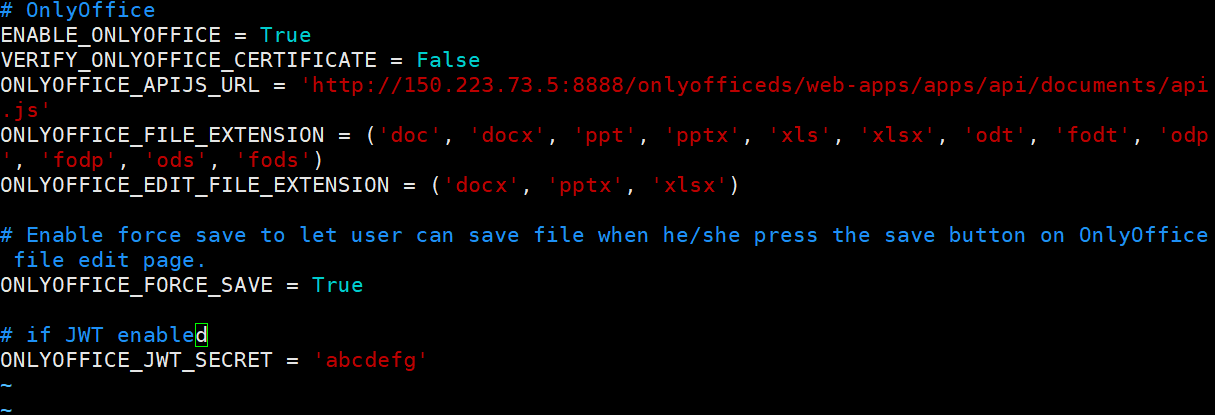
#Enable OnlyOffice
ENABLE_ONLYOFFICE = True
VERIFY_ONLYOFFICE_CERTIFICATE = False
ONLYOFFICE_APIJS_URL = ‘http://x.x.x.x:8889/web-apps/apps/api/documents/api.js’
ONLYOFFICE_FILE_EXTENSION = (‘doc’, ‘docx’, ‘ppt’, ‘pptx’, ‘xls’, ‘xlsx’, ‘odt’, ‘fodt’, ‘odp’, ‘fodp’, ‘ods’, ‘fods’)
ONLYOFFICE_EDIT_FILE_EXTENSION = (‘docx’, ‘pptx’, ‘xlsx’)
ONLYOFFICE_FORCE_SAVE = True
ONLYOFFICE_JWT_SECRET = ‘abcdefg’